Make websites work exactly how you want.
A browser extension that rewrites any webpage with plain English. Hide noise, add missing features, automate repeated work. No code, no learning curve.
Modifying
tweeks.io
Three steps between
an annoyance and a fix.
Tweeks compiles your plain-English request into a sandboxed userscript. It runs only where you tell it to, and you can inspect the source any time.
Open any site
Click the Tweeks icon from your toolbar and press create.
Describe the change
"Hide the sidebar." "Make the font larger." "Block suggested videos." Say it how you'd say it to a friend.
Ship it, share it
Tweeks applies the change and remembers it. Keep it private, or publish it for 25k+ others to install with one click.
Featured this week.
Hand-picked tweeks from the community. See what each one does and install in one click.
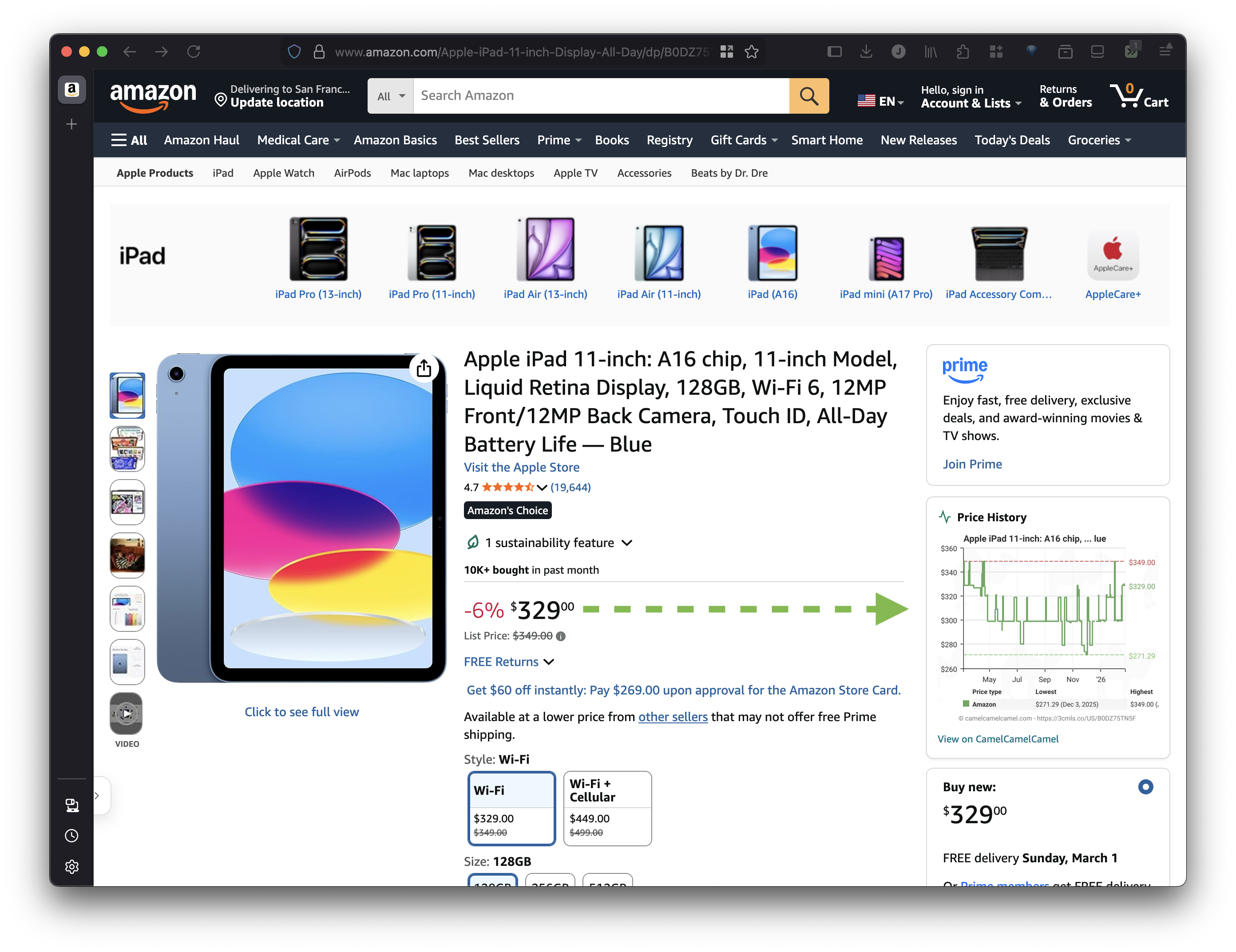
Amazon - Show Price History
Show price history graph directly on Amazon product pages with link to CamelCamelCamel for more details.
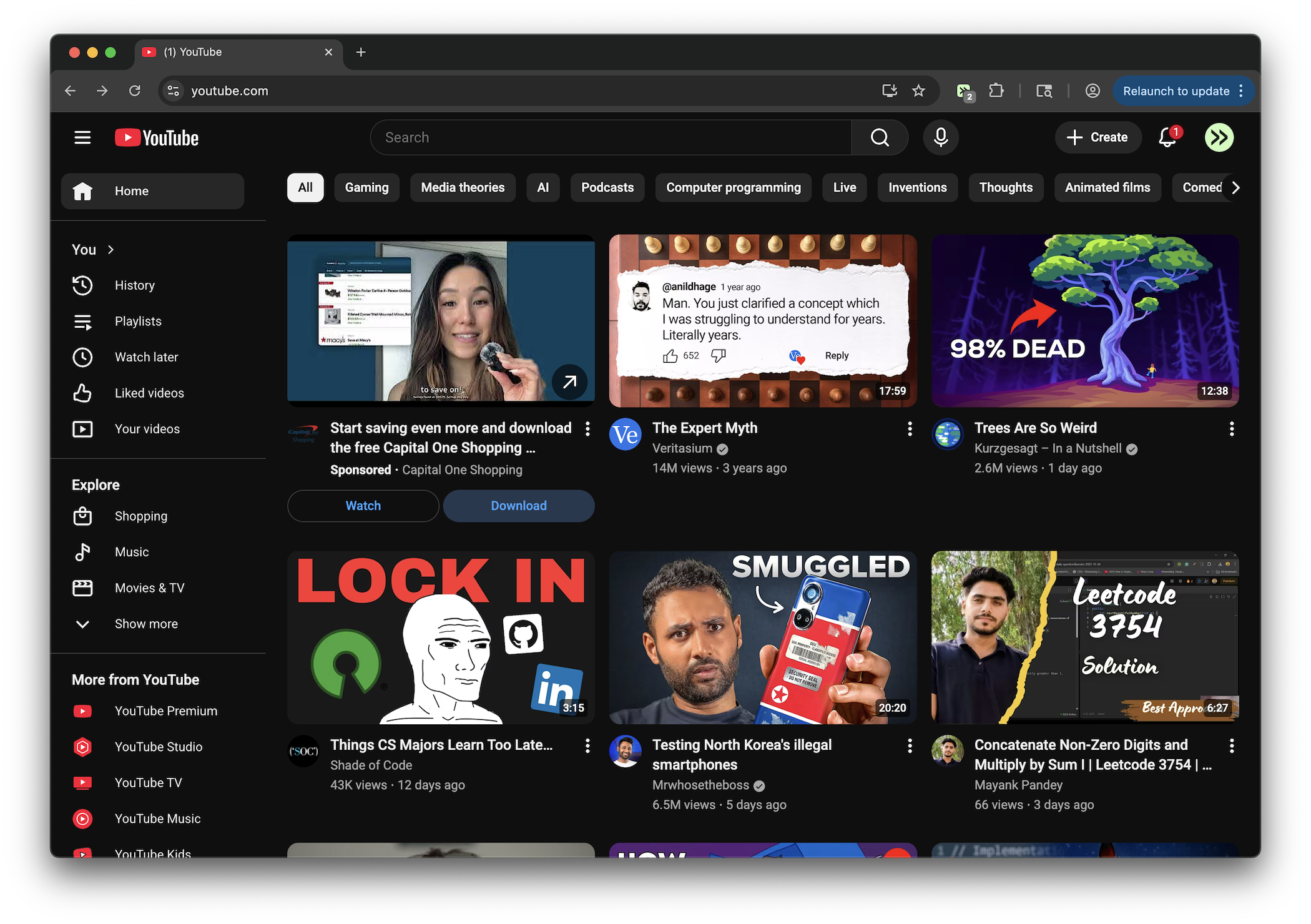
YouTube - Remove Shorts
Remove Shorts shelves, tabs, cards, and links across desktop and mobile YouTube.
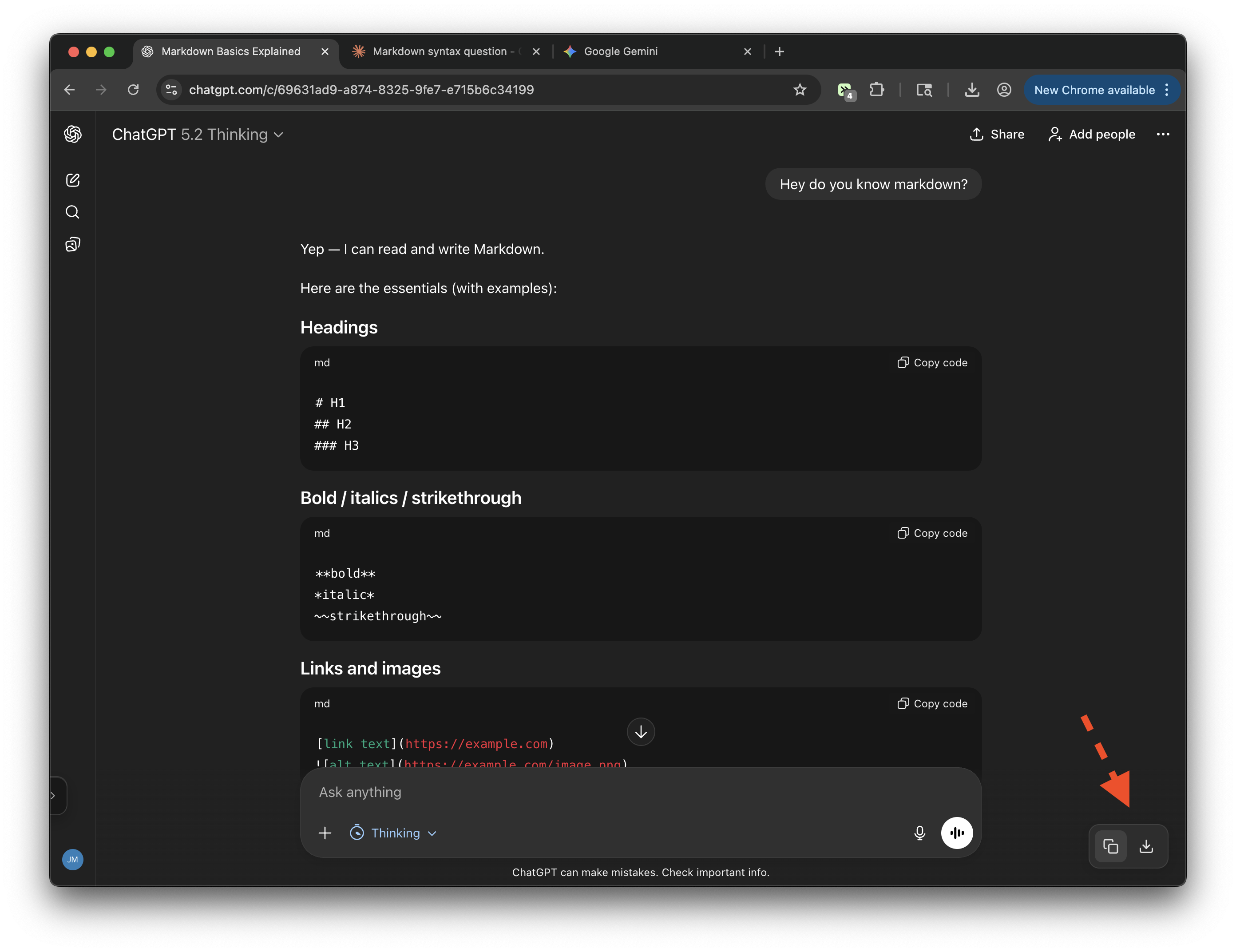
Chat Exporter (ChatGPT, Claude, Gemini)
Export conversations from ChatGPT, Claude, and Gemini. Copy to clipboard or download as markdown.
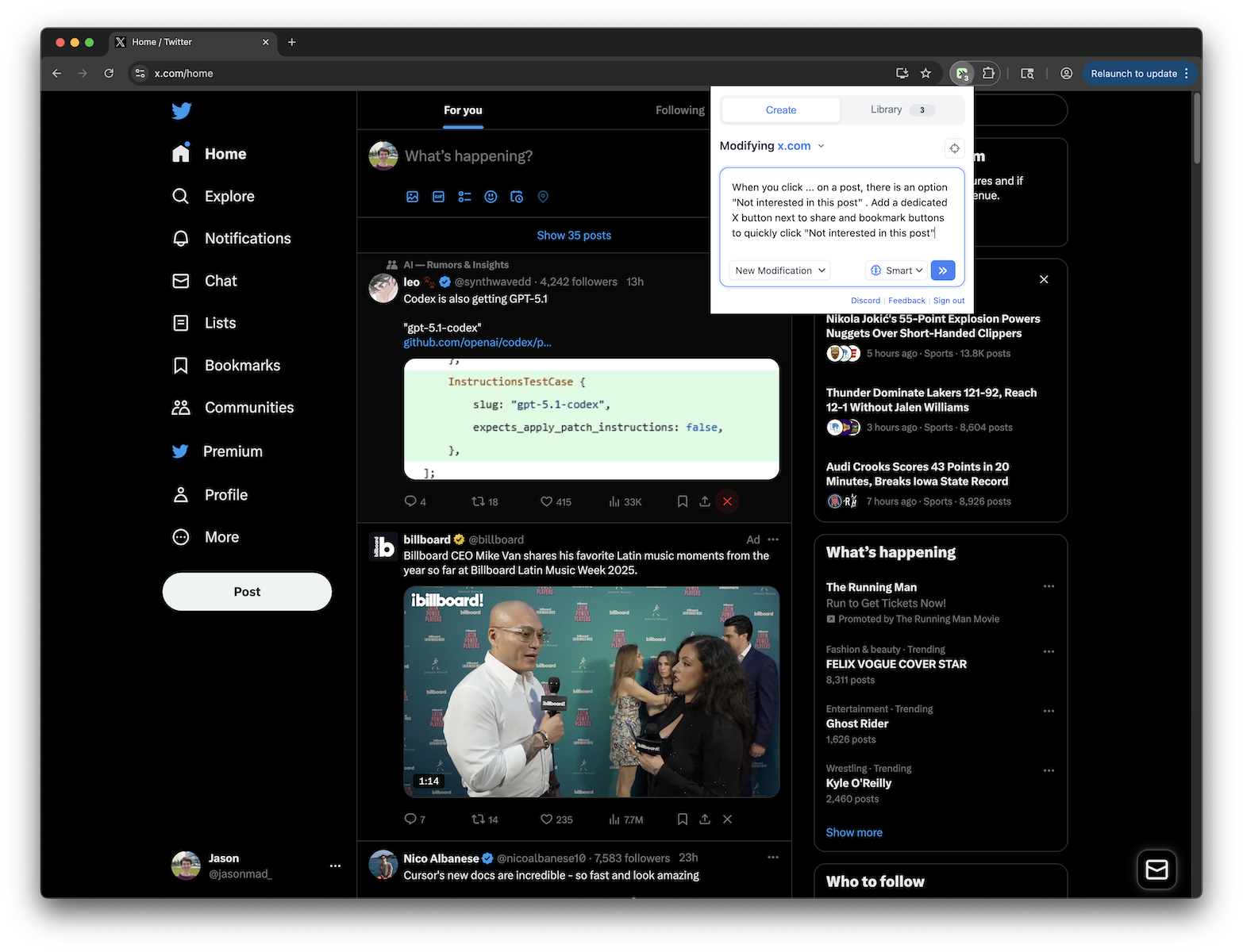
X.com - Quick "Not Interested" Button
Adds an X button next to share and bookmark buttons on X.com posts to quickly click "Not interested in this post"
By site.
If it loads in your browser, there's probably a tweek for it. Jump straight to the site you want to fix.
Chat Exporter (ChatGPT, Claude, Gemini)
Export conversations from ChatGPT, Claude, and Gemini. Copy to clipboard or download as markdown.
ChatGPT Subscription Manager
Spoofs ChatGPT subscription plan (Plus/Pro/Business), hides upgrade UI, suppresses subscription errors, with a ChatGPT-style settings panel. No-Reload is ON by default. Block All Reloads option prevents any page reload globally. Block Refresh Account blocks redirects to chatgpt.com/?refresh_account=true. Includes Reset Settings button. Spoof (Safe Mode) is disabled by default. Model Picker option persistently restores the model selector for Pro/Thinking/o1 models. Bypass Limits option removes message caps, rate limits, and usage restrictions from API responses, hides "Вы исчерпали свой лимит" error messages, and auto-retries the request. Model Auto-Select: parses available models from the site and always applies the user-selected model. Model Rage Inject v2: 10-step aggressive injection system that patches fetch, XHR, Request constructor, JSON.stringify, sendBeacon, React fiber state, DOM data attributes, localStorage model keys, conversation_mode, and periodic React state override to forcibly inject the preferred model at every possible interception point.
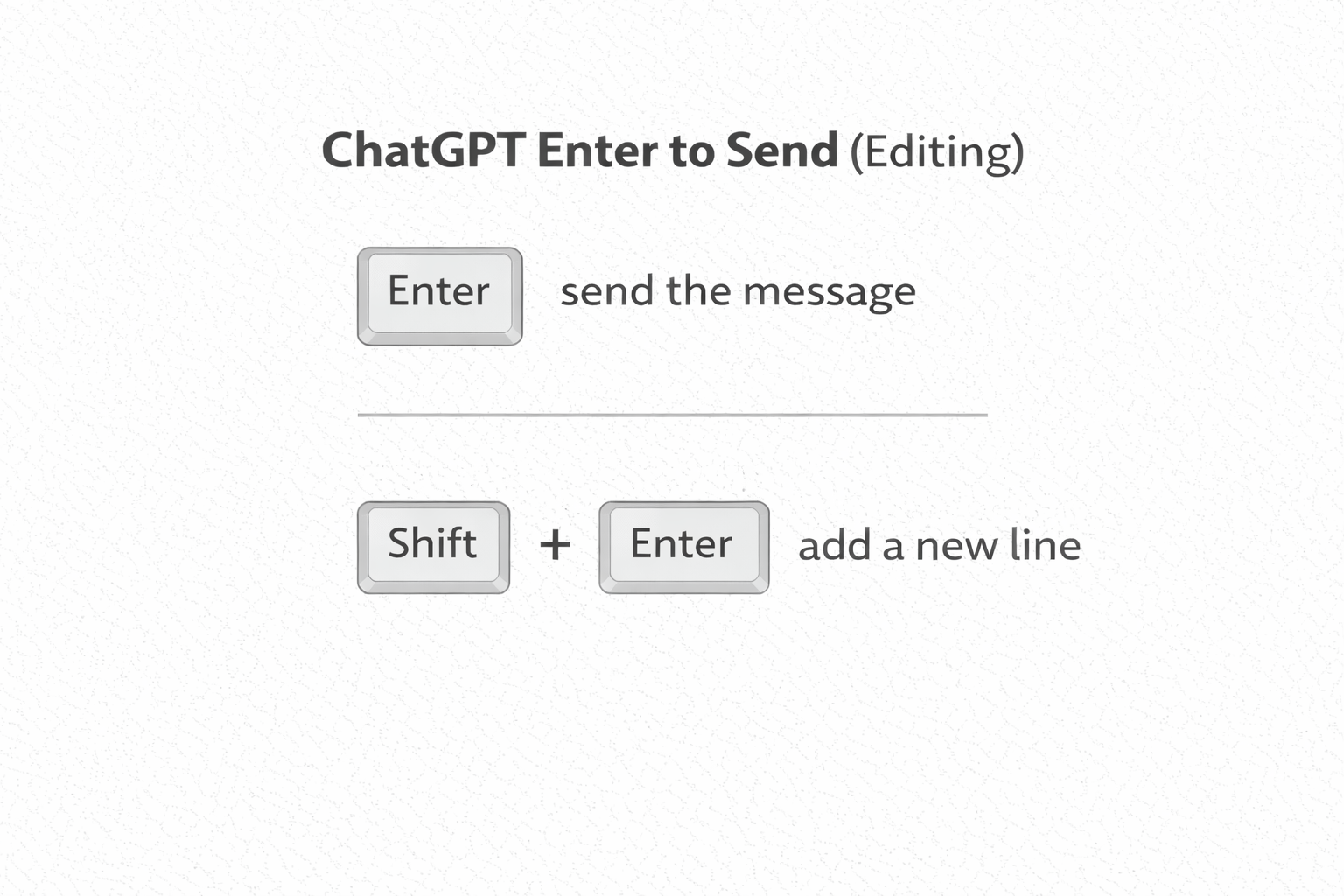
ChatGPT Enter to Send (Editing)
The behavior of the "Enter" key is not consistent between sending new messages and editing messages in ChatGPT. This tweek updates the edit mode to make "Enter" send the message and "Shift + Enter" add a new line (consistent with the standard new message behavior).
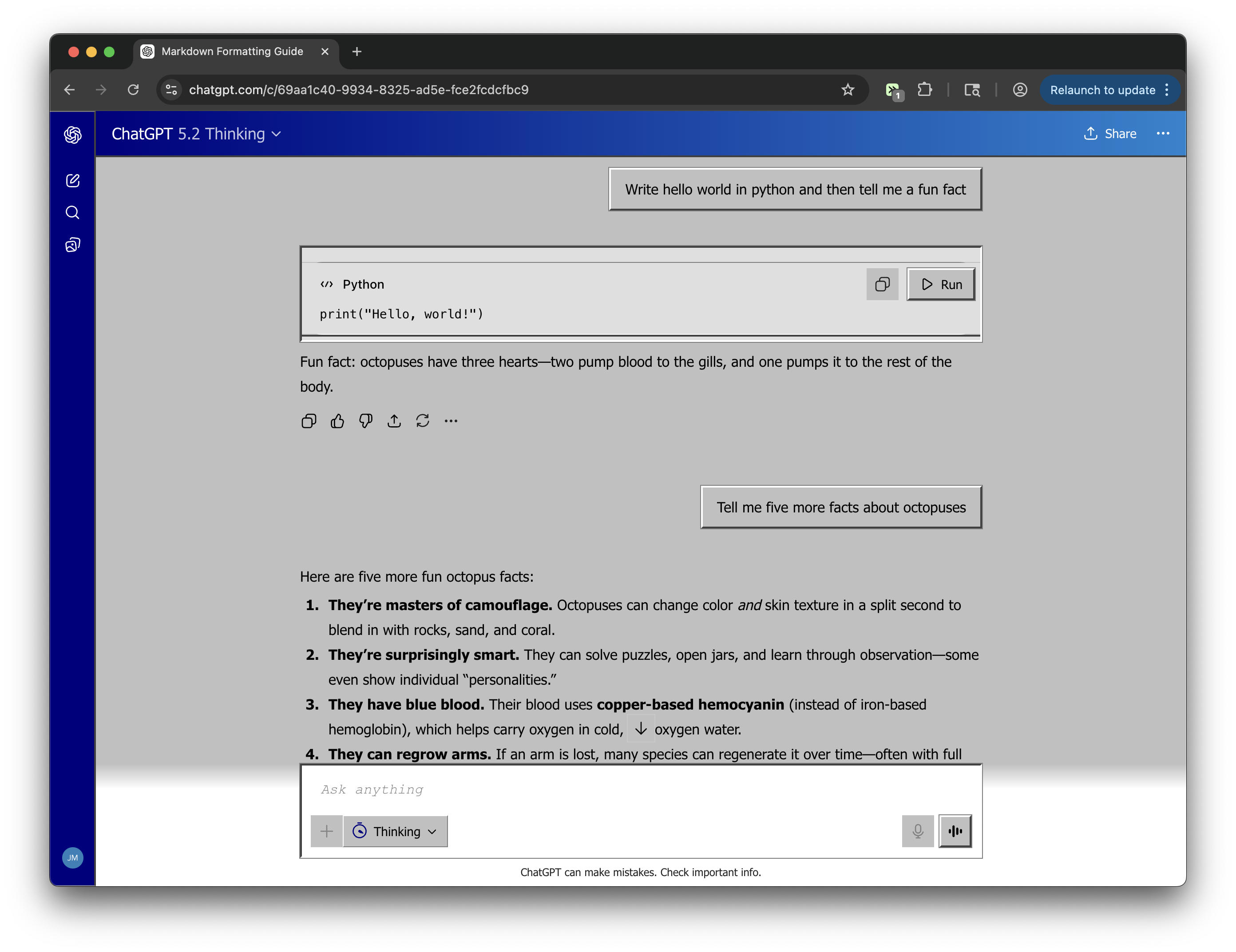
ChatGPT - Windows 95 Theme
What if Microsoft acquired OpenAI in the 90s? Classic silver-gray chrome, raised bevel buttons, sunken inputs, navy blue title bars, and a dialog-box user bubble.
ChatGPT Sidebar Customizer
Remove Projects and GPTs sections from sidebar, and move search bar to top
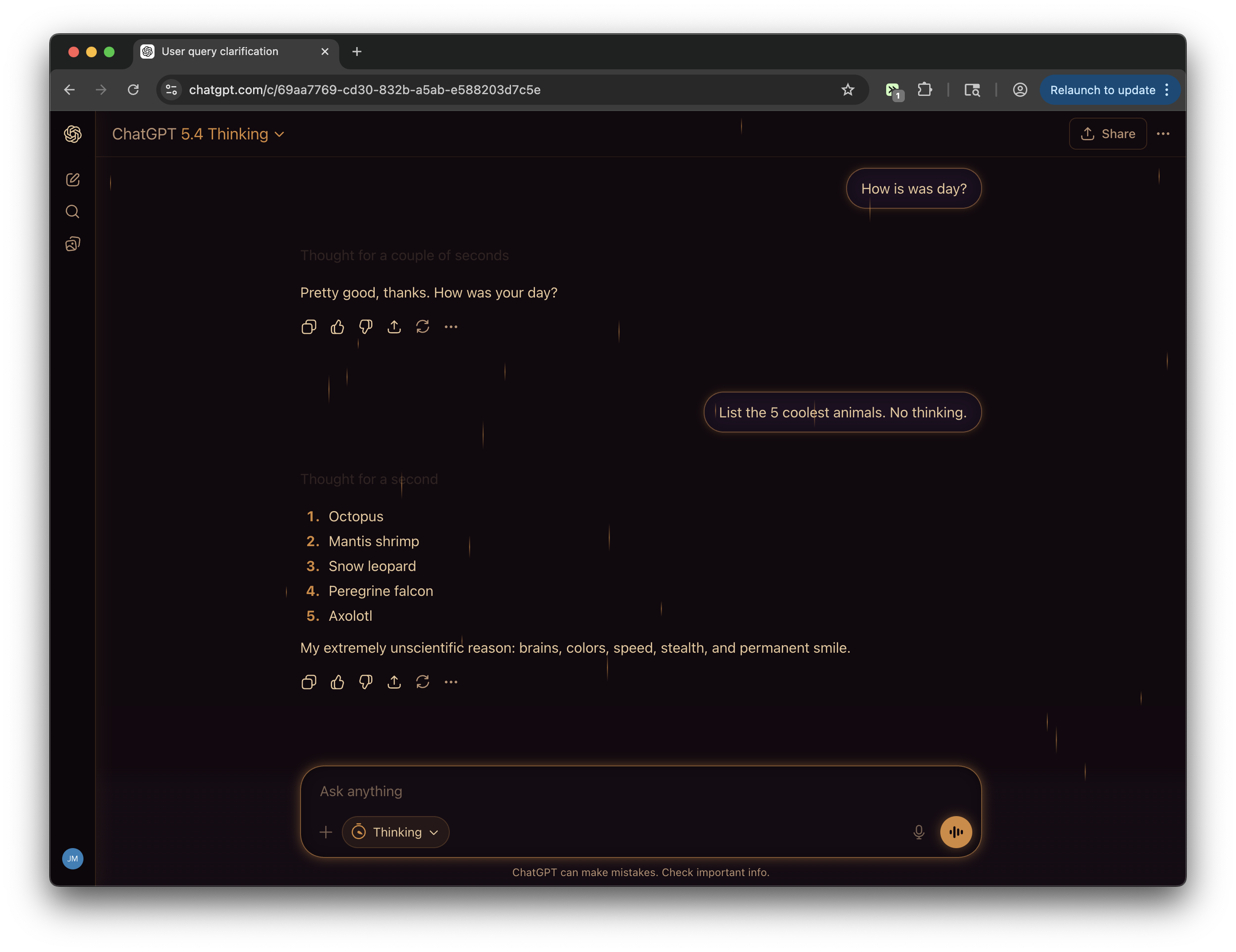
ChatGPT - Lo-fi Rain Theme
Rainy window, late night, warm light. Dark purple-brown palette, candlelight amber accents, and 30 rain streaks drifting down the screen at varied speeds. Study music optional.
ChatGPT - Remove Upgrade / Get Plus Buttons
Hides all "Upgrade" and "Get Plus" upsell buttons on ChatGPT
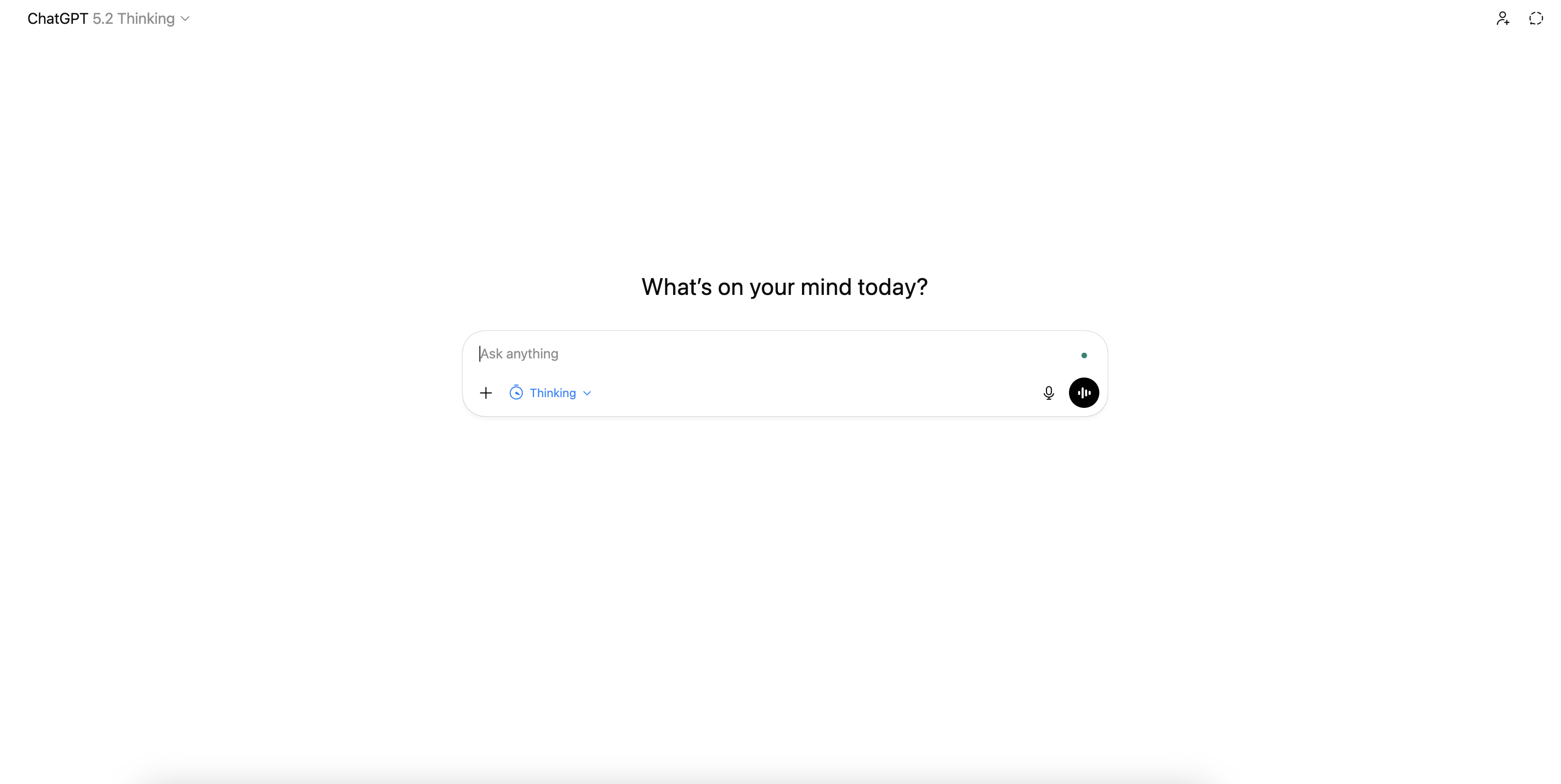
ChatGPT - Append "(think hard)" to Messages
Force chatgpt's model router to use thinking all the time.
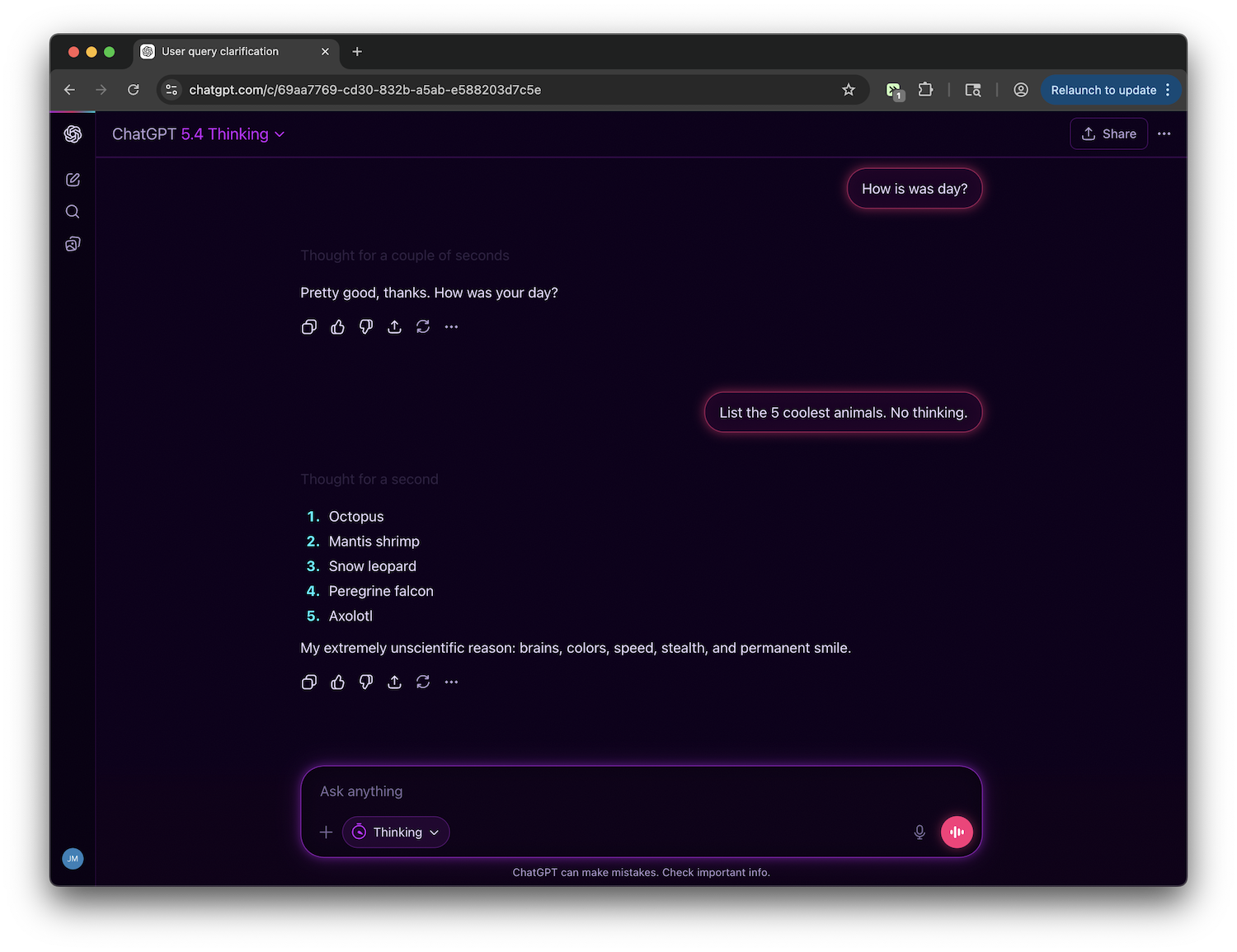
ChatGPT - Cyberpunk Neon Theme
Blade Runner meets the terminal. Deep purple-black bg, hot magenta user bubbles, cyan AI accents, glowing neon borders, and a subtle noise grain texture. The most visually aggressive of the collection.
ChatGPT -- Use the best thinking model
Automatically selects GPT-5.1 Thinking from legacy models before sending messages.
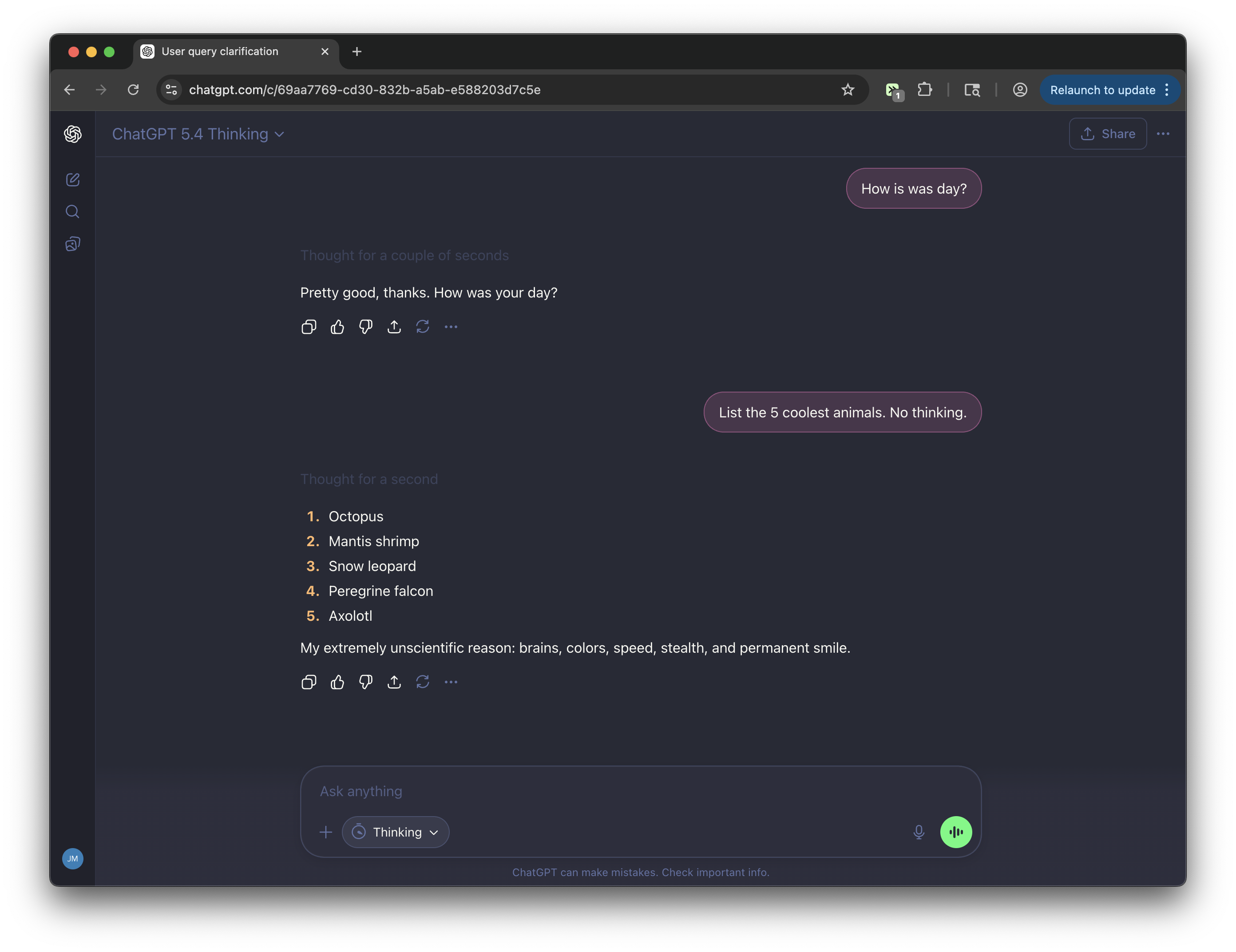
ChatGPT - Dracula Theme
The beloved dark developer color scheme — deep slate background, vivid pink and cyan accents, purple highlights, and green send button. Dracula is a widely-used dark palette originally designed for code editors, applied here across every surface of the interface.
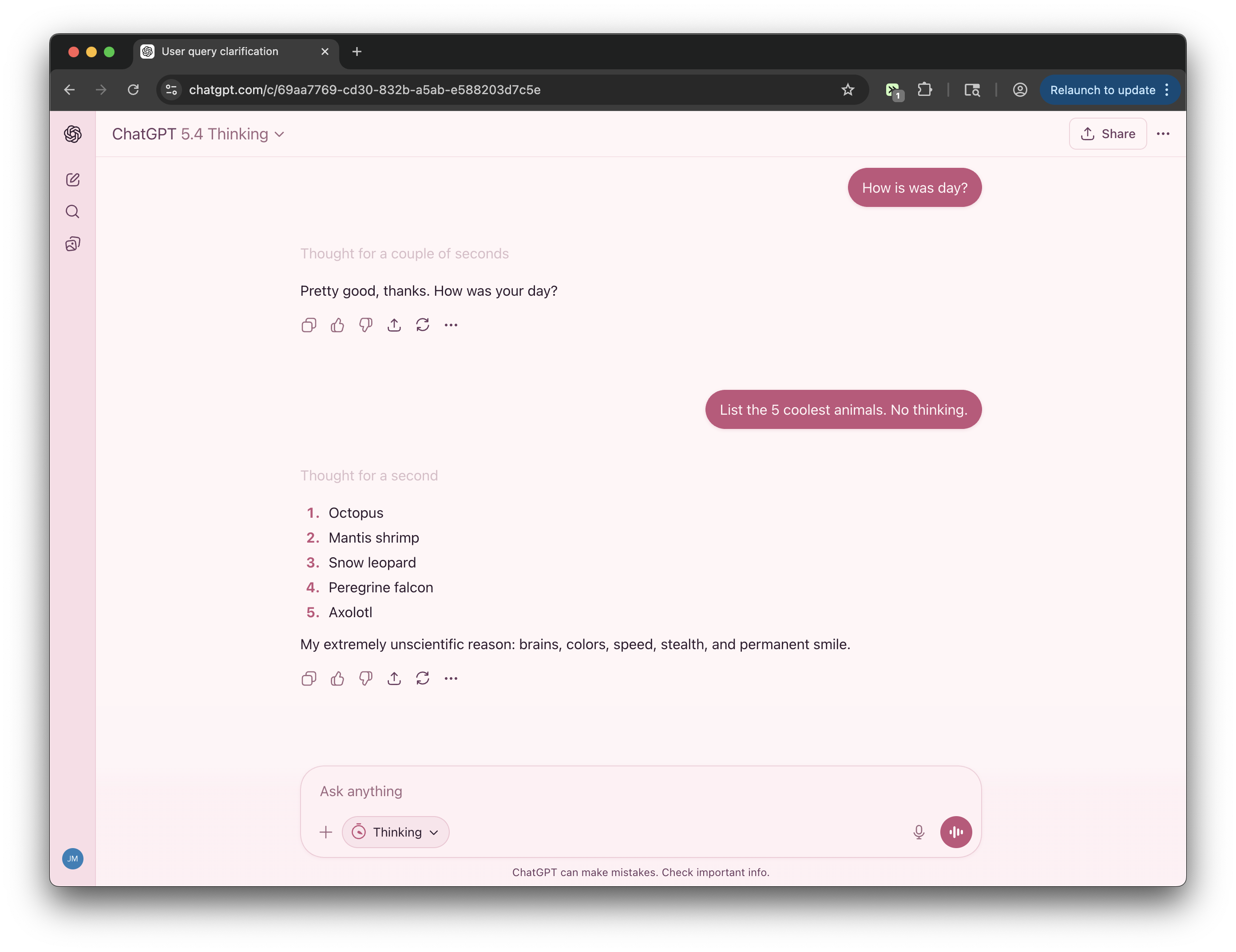
ChatGPT - Sakura Theme
Cherry blossom in full bloom. Pale petal whites, blush pink sidebar, dusty rose accents, and warm plum text. Light, soft, and quietly refined — like a Japanese spring afternoon.
What can you
actually tweek?
Small annoyances, missing controls, repeated chores. If it lives on a webpage, you can usually describe the fix.
Remove distractions
Strip out the parts of sites that waste your attention or hijack scrolls.
- YouTube
- X
- Hacker News
Add missing controls
Add the buttons, shortcuts, and context the product never shipped.
- Amazon
- ChatGPT
- Gmail
- Google Docs

Automate repeat work
Turn tiny chores you do on webpages into repeatable one-click actions.
- Stripe
- GitHub
Basics
What is Tweeks?
Tweeks is a browser extension that lets you customize any website. You can remove distractions, add features, change layouts, and modify how any site looks or behaves. Describe what you want in plain English, and Tweeks uses AI to generate the modification automatically. No coding required.
Do I need to know how to code?
No. Tweeks is built so you can customize websites without writing code. You can install community tweeks with one click, and you can create your own by describing what you want in plain English.
Is Tweeks free?
Yes. You can install Tweeks, browse and install public tweeks, and create your own modifications for free. Optional paid plans give you higher limits for creates, updates, and inference, plus access to advanced features like Tweeks MCP and using Tweeks with your ChatGPT subscription.
What is the difference between "Tweeks" and "Tweaks"?
"Tweeks" is the browser extension for customizing websites. A tweek is an individual website modification you create or install with Tweeks. "Tweaks" is the normal English word for small customizations, so if you searched for browser tweaks or website tweaks, you are in the right place.
Install & browsers
Which browsers does Tweeks support?
Tweeks supports Chrome, Edge, Brave, Opera, Vivaldi, Arc, Comet, and other Chromium browsers, as well as Firefox.
Do I need an account to use Tweeks?
No. You can use Tweeks without logging in to browse community tweeks, install them, and enable or disable them in the extension. Creating your own tweeks from natural language does require a free account.
What websites can I modify with Tweeks?
You can modify virtually any website. Popular sites include YouTube (remove Shorts, clean up the interface), Google (customize search results), LinkedIn (filter feed content), Amazon (add price tracking), Reddit (enhance readability), X/Twitter, ChatGPT, GitHub, and thousands more. If it loads in your browser, Tweeks can modify it.
Privacy & safety
Is Tweeks safe to use?
Yes. Tweeks is SOC 2 compliant, and the extension is designed to make browser modifications transparent and user-controlled. You choose which tweeks to install and where they run, you can disable or remove any tweek at any time, and every public tweek has viewable source code so you can inspect what it does before installing it.
Can Tweeks see my private data?
Tweeks does not passively capture your page data. If you actively submit a prompt to generate or update a tweek, Tweeks may use relevant page content and context to assist with that generation. For individual tweeks you've created or installed, they may need to access certain parts of the page to function properly, but you control where they are enabled, public tweeks show their source code, and you can disable or remove anything at any time.
How do browser modifications work?
Tweeks injects small scripts (called userscripts) into web pages as you browse. These scripts can modify the page's appearance, add new features, or change how elements behave. Each modification runs in a secure sandbox and only affects the specific sites you choose. Changes persist across page reloads and browser sessions.
Do modifications slow down my browser?
Tweeks are designed to be lightweight and fast, and they only run on the websites where you enable them. Performance depends on what a specific modification does, but none should significantly impact your system. If you run into any issues, submit feedback within the extension or on Discord and we'll investigate.
Sharing & power users
How is Tweeks different from Tampermonkey or Greasemonkey?
Tweeks is compatible with Greasemonkey-style userscripts, so existing scripts can work out of the box. What makes Tweeks different is the AI-powered creation: instead of writing code, you describe what you want in plain English and Tweeks generates the script. It also includes easy sharing features and a public library of community-created modifications you can install with one click.