ChatGPT - Cyberpunk Neon Theme

By jason · 5 months ago · 10+ installs

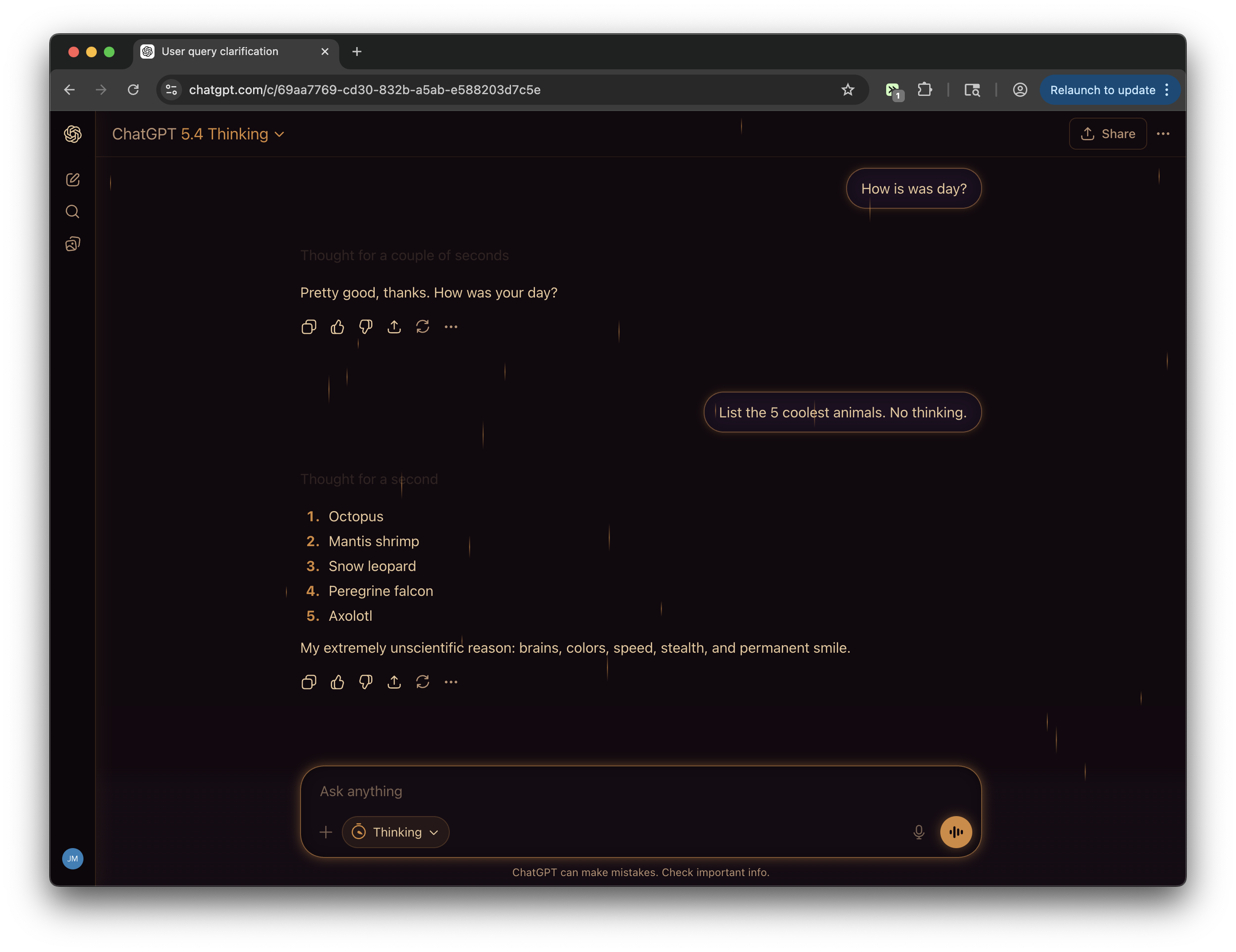
Blade Runner meets the terminal. Deep purple-black bg, hot magenta user bubbles, cyan AI accents, glowing neon borders, and a subtle noise grain texture. The most visually aggressive of the collection.

Key Highlights

  • Applies a deep purple-black cyberpunk color scheme across chatgpt.com
  • Adds hot magenta user message bubbles with glowing borders
  • Uses cyan and violet accents for headings, links, code, tables, and focus states
  • Restyles the sidebar, header, composer, menus, modals, buttons, and scrollbars
  • Includes a subtle grain texture for a neon terminal-style finish

Details

This tweek restyles chatgpt.com into an aggressive cyberpunk interface built around a near-black purple background, darker sidebar, lavender text, and vivid neon magenta, cyan, and violet accents. User messages get hot magenta bordered bubbles with glow, while assistant content uses cyan and pink styling for markdown headings, links, list markers, and other readable details.

The theme also carries the neon treatment across the ChatGPT UI, including the header, sidebar navigation, composer, buttons, dropdowns, menus, dialogs, scrollbars, code blocks, tables, form inputs, and alerts. A subtle noise grain overlay gives the page a backlit screen texture without changing ChatGPT’s core functionality.

Runs on

1 site

chatgpt.com

Developer

Tweek Code

468 lines ·

Related topics: chatgpt cyberpunk theme, chatgpt neon theme, chatgpt dark purple theme, chatgpt magenta bubbles

More for ChatGPT

Other modifications for the same site

Chat Exporter (ChatGPT, Claude, Gemini)
chatgpt.com

Chat Exporter (ChatGPT, Claude, Gemini)

Export conversations from ChatGPT, Claude, and Gemini. Copy to clipboard or download as markdown.

View
chatgpt.com

ChatGPT Subscription Manager

Spoofs ChatGPT subscription plan (Plus/Pro/Business), hides upgrade UI, suppresses subscription errors, with a ChatGPT-style settings panel. No-Reload is ON by default. Block All Reloads option prevents any page reload globally. Block Refresh Account blocks redirects to chatgpt.com/?refresh_account=true. Includes Reset Settings button. Spoof (Safe Mode) is disabled by default. Model Picker option persistently restores the model selector for Pro/Thinking/o1 models. Bypass Limits option removes message caps, rate limits, and usage restrictions from API responses, hides "Вы исчерпали свой лимит" error messages, and auto-retries the request. Model Auto-Select: parses available models from the site and always applies the user-selected model. Model Rage Inject v2: 10-step aggressive injection system that patches fetch, XHR, Request constructor, JSON.stringify, sendBeacon, React fiber state, DOM data attributes, localStorage model keys, conversation_mode, and periodic React state override to forcibly inject the preferred model at every possible interception point.

View
ChatGPT Enter to Send (Editing)
chatgpt.com

ChatGPT Enter to Send (Editing)

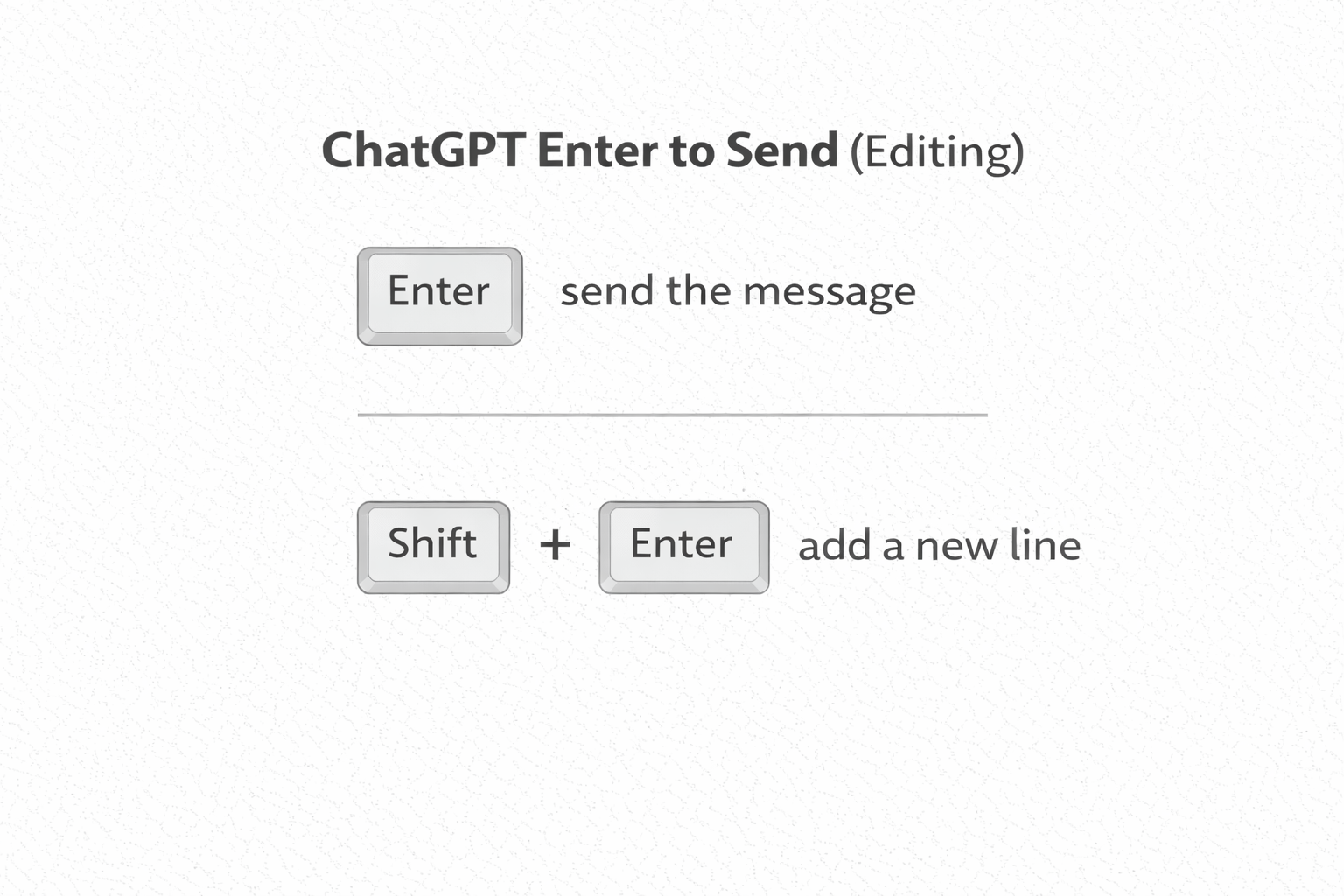
The behavior of the "Enter" key is not consistent between sending new messages and editing messages in ChatGPT. This tweek updates the edit mode to make "Enter" send the message and "Shift + Enter" add a new line (consistent with the standard new message behavior).

View
ChatGPT - Windows 95 Theme
chatgpt.com

ChatGPT - Windows 95 Theme

What if Microsoft acquired OpenAI in the 90s? Classic silver-gray chrome, raised bevel buttons, sunken inputs, navy blue title bars, and a dialog-box user bubble.

View
ChatGPT - Lo-fi Rain Theme
chatgpt.com

ChatGPT - Lo-fi Rain Theme

Rainy window, late night, warm light. Dark purple-brown palette, candlelight amber accents, and 30 rain streaks drifting down the screen at varied speeds. Study music optional.

View
chatgpt.com

ChatGPT Sidebar Customizer

Remove Projects and GPTs sections from sidebar, and move search bar to top

View
Cyberpunk Neon Theme for ChatGPT | Tweeks