Google Docs Dark Mode
By physical-reindeer-1 · 8 months ago · 200+ installs
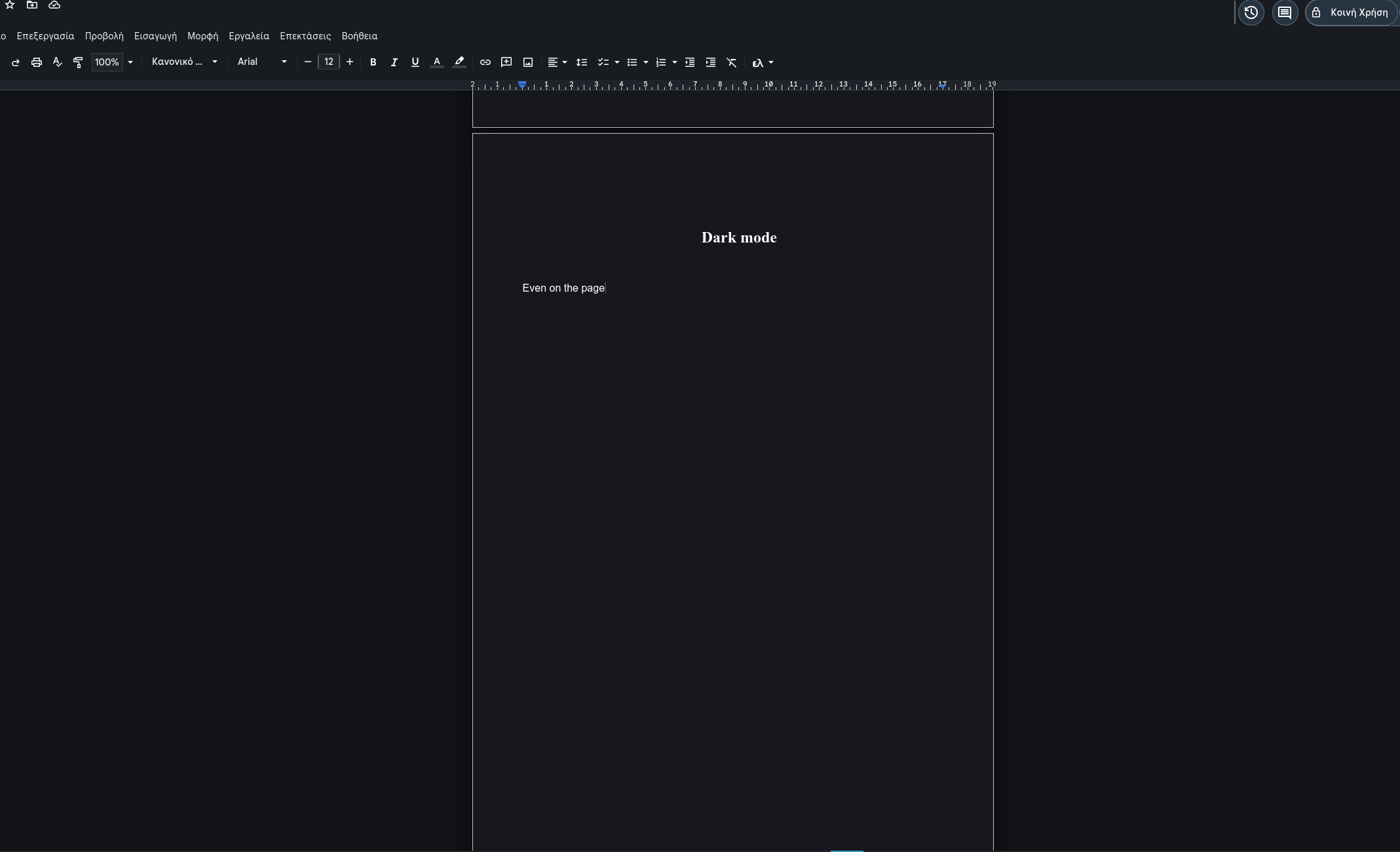
This tweek turns Google Docs into a dark interface across the document view and surrounding controls. It also includes a simple toggle so you can enable or disable dark mode when needed.
Key Highlights
- Applies dark mode to Google Docs document pages on docs.google.com
- Covers the editor, page background, toolbars, menus, dialogs, and sidebar
- Restyles comments, rulers, buttons, inputs, links, and scrollbars for a darker look
- Includes a built-in toggle to enable or disable dark mode
Details
This tweek applies a dark mode theme to Google Docs on docs.google.com document pages. It darkens the main app chrome, editor area, document page background, toolbars, menus, input fields, dialogs, sidebars, rulers, comments, status areas, and scrollbars so the overall interface appears consistently dark.
It also adjusts document rendering and interface elements for visibility, including the document canvas, text layer, icons, links, selections, buttons, and separators. Dark mode is enabled by default and can be turned on or off through a menu command, with the styling re-applied as Google Docs loads dynamic content.
Runs on
1 site
Developer
Tweek Code
302 lines ·